
""Free Shipping on USA""  We do not provide any authorization invoice for amazon Resale.

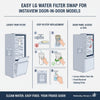
Easy LG Water Filter Swap for InstaView Door-in-Door Models

Easy LG Water Filter Swap for InstaView Door-in-Door Models

, by ABM Service, 5 min reading time

Clean water matters every day, and a fresh LG water filter helps keep it safe and clear. A simple swap keeps taste steady and protects the fridge system. This guide covers door panel access and filter steps made for InstaView Door-in-Door models. The process stays simple and tool free.

Many LG owners put off a filter change due to fear of leaks or panels. That worry fades with clear steps and calm prep. The layout below shows each stage in order. Smooth steps save time and avoid mistakes.

Know Your LG InstaView Water Filter Location

LG InstaView models use two common filter spots. Some place the filter in the upper right area inside the fridge. Others place it inside the left door behind a bin. A quick look inside the fridge shows the setup.

Door mounted filters hide behind a door bin and swing or twist out. Upper compartment filters sit in a small housing near the ceiling. Both styles use a lock turn to release. Each type follows the same basic flow.

A short check avoids wrong moves. Open the fresh food door and scan the right corner and left door. Spotting the housing saves effort. This step keeps the swap calm and clean.

What to Do Before Swapping the Water Filter

Light prep helps avoid drips and tight spaces. A towel on the shelf below catches water drops. Water shutoff stays optional for most LG filters. Calm prep keeps hands dry.

Shelf height can block the housing. Lower or remove the top shelf if needed. Door bins may need a lift and pull to clear space. Small moves open the area fast.

Set the new filter nearby before removal. Remove the cap from the new filter and keep it clean. Clear space helps the swap move smoothly. The goal stays simple and steady.

Step-by-Step LG Water Filter Swap Process

Removing the Old Water Filter

Grip the filter end and turn it left to unlock. Some door units swing out first before the turn. Pull the filter straight out once loose. A small drip may appear, so the towel helps.

Hold the filter level while removing it. Avoid twisting after release. Set the old filter aside upright. This step protects the housing seal.

Installing the New LG Water Filter

Remove the protective cap from the new filter. Line up the side tabs with the housing slots. Push the filter in and turn it right until it locks. A firm stop shows a secure fit.

Use steady pressure during the lock turn. The filter should sit flush with the housing. Close any cover or swing arm in place. This step seals the system.

Flush the System After Filter Installation

Flushing clears air and loose carbon dust. Dispense about three gallons of water. Short bursts work best to protect the pump. Taste and flow improve after this step.

Pause between runs to let pressure settle. Ice may look cloudy at first but clears soon. This step supports long filter life. Water flow should feel smooth.

For full details later, see Flushing protocols to remove initial carbon residue post-install. That guide explains timing and volume in clear terms. Follow it after the swap. Results stay consistent.

Reset the LG Filter Indicator Light

The filter light tracks time, not water flow. Hold the Filter or Reset button for five seconds. The light should turn off. That confirms the reset.

Button names vary by model. Check the control panel near the dispenser or inside the door. A reset keeps alerts accurate. This step finishes the swap.

If the light stays on, repeat the hold. Power cycling the fridge can help. A clear panel shows success. The system now tracks the new filter.

Door Panel Access on LG InstaView Door-in-Door Models

Accessing the Water Filter Behind the Door Bin

Lift the left door bin straight up and pull it out. This exposes the filter housing. Open the small cover if present. The filter then swings or twists free. Reinstall the bin after the swap. Line up the rails and press down until it seats. Door bins should feel firm. This restores storage space.

For model-specific tips, see Best LG LT1000P water filters for side-by-side and French door models. That page lists fit notes and door layouts. Use it as a quick check.

Accessing the Inner Door Panel for Maintenance

Unplug the fridge before panel work. Remove visible screws along the inner door edge. Use a plastic tool to loosen clips. Work slowly around the edge.

Pull the panel forward with care. Wiring may connect to buttons or lights. Disconnect plugs before full removal. This avoids strain.

Accessing the Front Control or Display Panel

Open the doors to find hidden screws. Remove them first. Pull from the bottom edge to release clips. Move around the panel evenly.

Avoid sharp tools that mark plastic. Gentle pressure protects tabs. Once loose, set the panel aside safely. Reinstall in reverse order.

Common Mistakes to Avoid During a Filter Swap

  • Failing to lock the filter fully
  • Skipping the flush step
  • Forgetting the reset step

Each mistake affects flow or alerts. Careful steps prevent issues. A slow pace helps.

Final Check After Replacing the LG Water Filter

Run the dispenser and check flow. Look inside for leaks around the housing. Ice should turn clear after a short time. The taste should feel clean.

Close doors and listen for normal sounds. The light should stay off. For a quick refresher on steps, review LG swap. That page sums up the process.

A steady check confirms success. The fridge now runs with fresh filtration. Water quality stays strong. The job ends clean and simple.


Blog posts

  • Best Refrigerator Water Filter Alternatives in 2025

    , by ABM Service Best Refrigerator Water Filter Alternatives in 2026

    Read more 

  • Do Water Filters Filter Out Fluoride?

    , by ABM Service Do Water Filters Filter Out Fluoride?

    Read more 

  • Why Mold Grows in Water Filters and How to Stop It

    , by ABM Service How to Prevent Mold Growth in Water Filters: Maintenance Tips for Safe Water

    Read more 

  • Where Do I Find My Water Filter Model Number?

    , by ABM Service Where Do I Find My Water Filter Model Number?

    Read more 

Login

Forgot your password?

Don't have an account yet?
Create account