
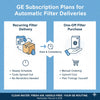
GE SmartOrder Subscription Automates Appliance Deliveries
, by ABM Service, 6 min reading time
""Free Shipping on USA"" We do not provide any authorization invoice for amazon Resale.
, by ABM Service, 6 min reading time
SmartOrder makes it easy to receive replacement water filters, appliance cleaners, and other care products without placing a new order every time. You choose how often you want deliveries, and your items ship automatically based on your selected schedule.
Members also receive savings on eligible subscription orders, along with standard shipping at no extra cost. Once your subscription starts, future orders are processed automatically until you make changes or cancel the service.
Before each scheduled shipment, you will receive a reminder email with details about your upcoming order. If product pricing changes, you will receive notice before the next renewal takes place. Your selected payment method will be charged when each order is processed.
You can manage your subscription at any time through your online account. From there, you can update delivery schedules, change payment or shipping information, skip an order, or cancel your subscription whenever needed.
SmartOrder is a subscription service that sends replacement products to you on a set schedule. It helps you stay stocked on the items you use most without placing a new order each time.
You can join SmartOrder by selecting a product that offers the service and choosing a delivery schedule that fits your needs. After you complete your order, the subscription starts automatically.
SmartOrder covers selected products that people replace on a regular basis. Product availability may vary, so check the product page to see if SmartOrder is an option.
SmartOrder lets you choose how often you receive eligible products. Depending on the item, you can schedule deliveries every 1, 2, 3, 6, or 12 months. Some products, such as certain 3-pack water filters, may also offer an 18-month delivery option.
Every SmartOrder shipment includes free standard shipping. Expedited services, such as second-day or overnight delivery, are not part of the SmartOrder shipping program.
Once you sign up for SmartOrder, you will receive a confirmation email acknowledging your subscription details. This email will also contain a secure link that allows you to log in and manage your account settings and subscription preferences. Your initial order will be processed and dispatched immediately.
After this first shipment, all future orders will be scheduled automatically according to the delivery frequency you selected, and billing will occur only when each order is shipped. Before every upcoming shipment, you will receive an email reminder so you know what is on the way.
You will also be notified if a product becomes unavailable, if your subscription is cancelled, or whenever an order has been successfully placed.
Once you’ve signed up, managing your SmartOrder is straightforward. You can adjust your upcoming delivery date, skip a shipment, modify how often orders are sent, or end your subscription at any time through the ‘Subscriptions’ area after logging into your account.
Updating SmartOrder subscription details
Any changes you make will apply only to future shipments tied to your SmartOrder. Orders that are already being processed cannot be modified.
Please allow up to 24 hours for any updates or cancellations to take effect across your account. You can perform the following actions within the ‘Subscriptions’ section of your account.
Adjusting Your Next Delivery Date
To adjust your next delivery date, open the ‘Upcoming Deliveries’ tab under ‘Subscriptions’ and select the ‘Change Order Date’ option beside your next scheduled shipment. Choose a new date from the calendar window to update the full order schedule.
If your order includes multiple products but you only want to adjust one item, go to the ‘Subscriptions’ tab, locate the specific item, and click its listed next delivery date to select a new schedule just for that product.
Pausing a Scheduled Shipment
To miss a scheduled shipment, go to the ‘Upcoming Deliveries’ section and click ‘Skip Order’ next to the relevant date. This will skip the full order. Your next shipment will then follow the regular interval set for your subscription plan.
Updating Subscription Delivery Frequency
To update how often an item is delivered, visit the ‘Subscriptions’ tab. Each subscription item shows its current delivery cycle in a dropdown menu. Click the dropdown beside the item you want to adjust and select your preferred frequency from the available options.
Subscription Cancellation
To end a subscription item, navigate to the ‘Subscriptions’ tab and select ‘Edit’ under the item’s status. You will be asked to confirm your cancellation and optionally share your reason for leaving. Once confirmed, the item will be deactivated, no further orders will be generated, and you will receive a confirmation email.
Additional Appliance Support
Whatever your appliance needs may be, our team is always ready to assist. Feel free to contact us whenever you need support.
Log in to your account and open your subscription settings. You can then edit your shipping address, payment method, and other account details.
The Upcoming Deliveries tab shows your next scheduled shipment and its details. One shipment can include more than one item when those items share the same delivery date and account setup.
The Subscriptions tab shows each item you have on plan along with its details. It lists the next delivery date, delivery schedule, and item quantity. Each order charges your default payment method when it ships.
SmartOrder usually accepts major credit and debit cards. Available payment options may vary based on your account and location.
If the price of a SmartOrder item changes, future shipments may reflect the new price. Review your order details before each shipment for the most current pricing.
Your first shipment usually processes shortly after you place your order. Delivery time depends on the product, shipping method, and destination.
Update your payment information in your account as soon as possible. This step helps prevent delays or interruptions to future shipments.
You can contact customer support through the company's support page, account portal, or customer service team for help with your subscription.
Contact the customer support team connected to your subscription account. They can help with billing, deliveries, account updates, and other subscription questions.


